
AI Data Readiness for Better Business Decisions
By Ms. Tina Leon, Managing Director of Infra Mobile Digital Sdn Bhd
Table of Contents
Ask three departments how many active customers the business has, and you may receive three different answers.
Sales counts open opportunities.
Finance counts accounts with transactions.
Customer service counts project with ongoing requests.
Each number may be valid for its purpose. The difficulty begins when management expects them to mean the same thing, or when an AI assistant is asked to combine them without a clear definition.
AI data readiness means preparing information so an AI enabled process can use it accurately, appropriately and within agreed access boundaries. For AI digital transformation, this work connects the business question with the records, definitions and responsibilities needed to answer it.

Begin with one question the business needs answered
Choose a question that leads to a useful decision.
Which customer requests need action today?
Which quotations are waiting for approval?
Which property sales opportunities have an overdue next step?
Write down what a correct answer would contain. For an overdue follow-up list, the team may need a verified customer record, the assigned employee, the promised action, its due time and the latest outcome.
This exercise limits the initial data scope. It also exposes information that the business does not currently record. If promises exist only in conversations and memory, connecting a reporting tool will leave that gap unresolved.
Agree who will use the answer and what they can do with it. A manager reviewing workload may need a different view from an employee contacting an individual customer.
Give important records a shared identity
Businesses often hold several versions of the same record. A customer may appear under a short name in one system and a company name in another. A property project may use different abbreviations across marketing, sales and finance.
Use agreed identifiers to connect records. Keep a consistent project code, customer reference or transaction number wherever the process requires it. Verify the connection before combining information from separate systems.
Maintain a process for duplicates and corrections. Record who can merge entries and how the team checks that the records belong together. This matters when a mistaken link could show the wrong customer history or distort a management report.
For property businesses, shared project and unit references can make it easier to plan connections between CRM, sales booking and later operational records. The exact links depend on the systems and integrations in place.
Define the words behind your reports
Data quality includes meaning.
A field labelled “completed” can refer to several different events if departments use it without an agreed definition.
In sales, does “won” mean a reservation, an approved booking or another confirmed milestone?
In customer service, does “resolved” mean that staff sent an answer or that the customer’s issue was addressed? Define the event the business actually wants to measure.
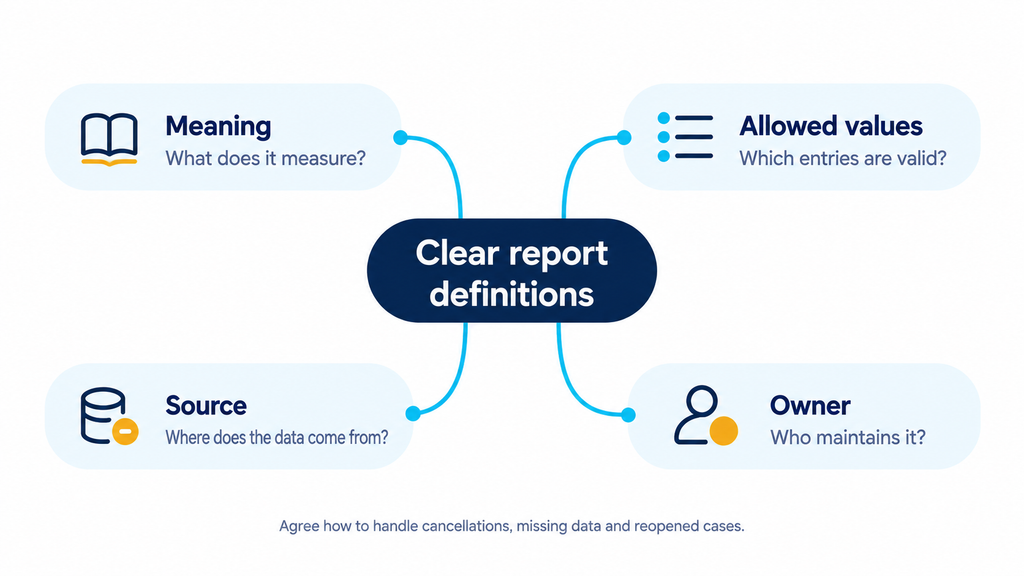
Create a short reference for the fields used in the first workflow.
Include the meaning, allowed values, source and owner. Explain how cancellations, missing information and reopened cases should be handled.
This reference becomes useful for employees as well as AI. New team members can update records more consistently, while managers can understand what a dashboard total includes before acting on it.
Keep current information distinguishable from old information
An approved brochure, a live transaction record and an internal discussion serve different purposes. Decide which source should answer each type of question.
A brochure may explain a unit layout. Current availability should come from the authorised inventory source. An individual payment status should come from the appropriate account record, with the necessary access checks.
Assign an owner for published information and record when it was updated. Remove superseded material from active use or clearly mark its status. For connected systems, agree how often data refreshes and what should happen if an update fails.
These arrangements help an AI assistant recognise when the available information is insufficient. Design the workflow so it can ask for clarification or route the question to a person when a reliable answer is unavailable.
Connect data according to the work
A useful integration moves the information required by a defined process. A service team might need request details and appointment information. A distributor might need approved product data and quotation status. A developer might need enquiry, appointment and booking records.
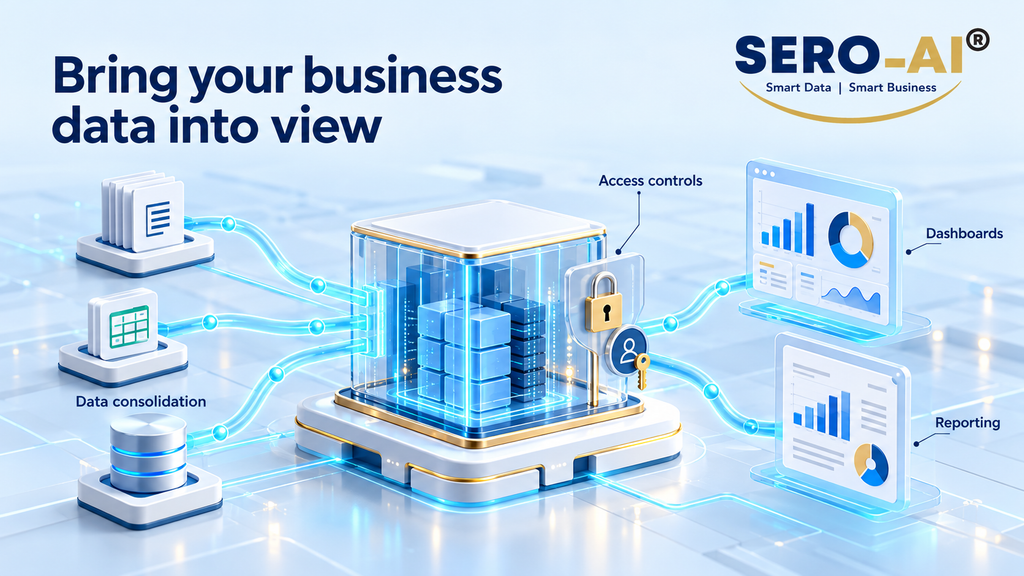
IMD’s SERO-AI® data hub offering includes data consolidation, access controls, dashboards and reporting. The wider ProSales solution overview also describes consolidating information from business applications and other sources. These capabilities provide a starting point for planning a connected operational view.
During implementation, confirm the sources, available interfaces and permissions for the selected workflow. Decide how the team will recognise missing or outdated records. Keep access aligned with job responsibilities so employees and assistants receive the information their tasks require.
The aim is a dependable flow of relevant information. Expanding the number of connections should follow a demonstrated need and a clear owner for the resulting data.
Test with the cases employees find difficult
Select a small set of real, appropriately protected examples. Include an ordinary request, an incomplete record, a duplicate entry, outdated information and a question the user is not authorised to answer.
For each example, write the expected response or action. Check whether the workflow finds the correct source, recognises uncertainty and routes the issue appropriately. Record errors in a form the responsible team can investigate.
Test again when important source information or process rules change. Employees should have a simple way to report an incorrect answer and identify the record behind it. That feedback helps the business improve the source as well as the response.
Make AI data readiness part of daily work
Data preparation continues after launch. Customers change their plans, projects move forward and business rules evolve. Assign ongoing responsibility for the information the workflow relies on.

For IMD, AI digital transformation connects business processes with usable information and practical technology. ProSales AI supports property sales activity, while SERO-AI® provides capabilities for bringing business data into a broader operational view. The implementation should reflect the question your team needs to answer.
Choose one decision that currently takes too long. Identify the records behind it, agree their meaning and check whether the right people can access current information. That gives your next AI project a concrete foundation.
